HarmonyOS Native Knowledge System

Your knowledge. In your hands.

Your files stay on your device. Write, read, and search offline.
Modow Markdown 3.0 is a personal knowledge base built natively for HarmonyOS NEXT. Write Markdown, read PDFs, archive web pages, and connect your own sync service only when you need more screens.

LOCAL FIRST / NO FORCED ACCOUNT / API 14+
LIVESYNC / ONLINE
WEBDAV / READY
Modow Library
LOCAL
Vault / Research Library
MD
Product research notes
Project / 2026 / Q3
NOW
PDF
HarmonyOS references
128 pages · Favorite
12:40
HTML
Web research archive
Offline snapshot
09:18
Knowledge sync 78% / SECURE
Obsidian → CouchDB42 FILES
100%HarmonyOS native
4 formatsMD · PDF · HTML · TXT
2 routesLiveSync · WebDAV
API 14+Phone · Tablet · Foldable
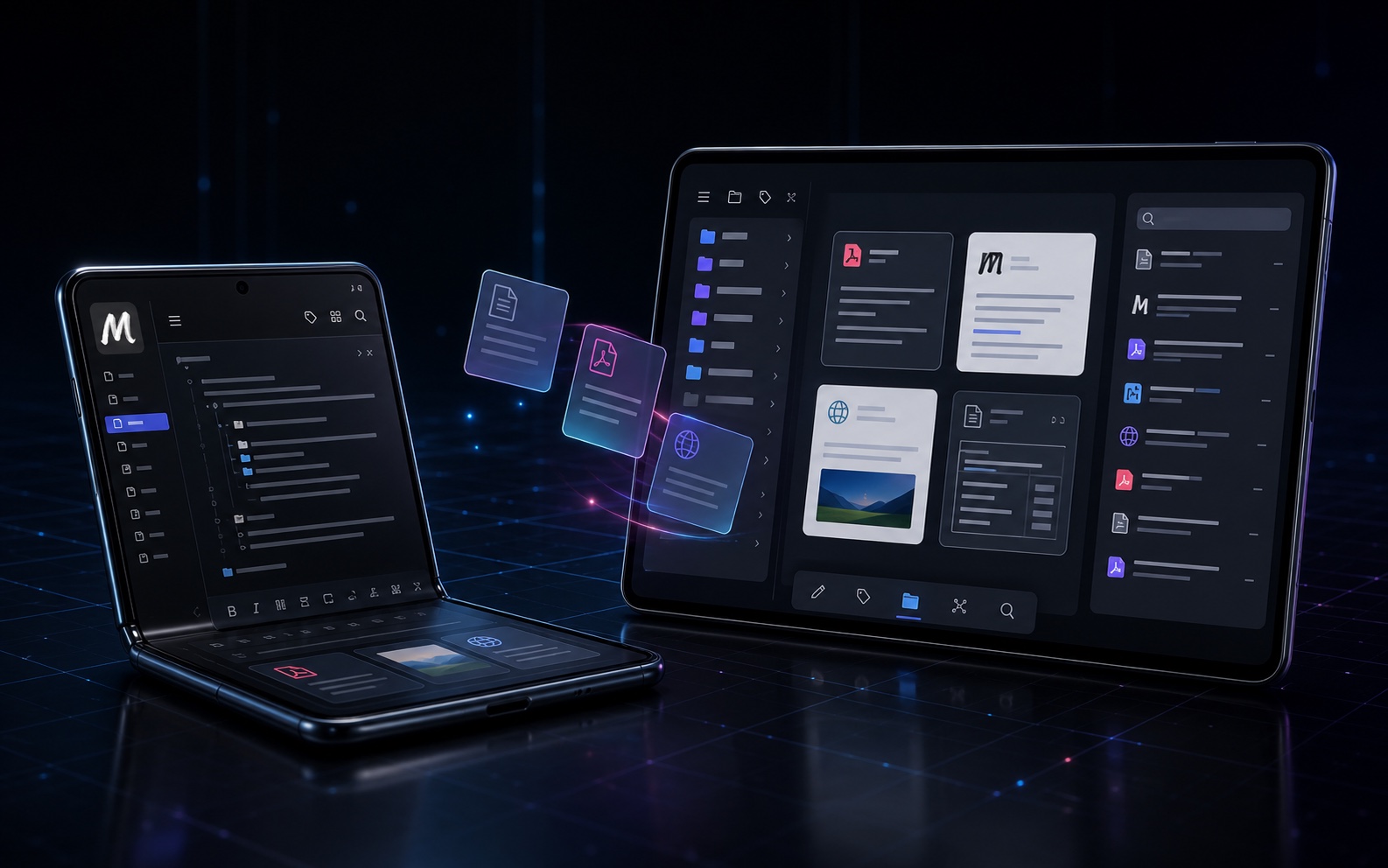
Modow knowledge libraries on a foldable phone and tablet, showing Markdown editing, PDF reading, web archives, and adaptive layouts
Knowledge in Motion

Not a desktop squeezed onto a phone.
A library shaped for every screen.

Write quickly on a foldable. Settle in to read on a tablet. Markdown, PDFs, web archives, and search share one clear knowledge structure.

01 / Product Philosophy

Not another
cloud notes app.

No sign-up required. No default cloud lock-in. Your notes stay readable and searchable on your device. When you need more screens, connect the CouchDB, NAS, or WebDAV service you trust.

[ 01 ] DATA OWNERSHIP

Your files, your choice

No forced account and no default cloud binding. Work offline without giving up control of your library.

[ 02 ] NATIVE SPEED

Native by design

Built for HarmonyOS NEXT and adapted for phone, tablet, and foldable.

[ 03 ] OPEN FILES

Open formats

Markdown, PDF, HTML, and TXT in one directory tree, managed through one search experience.

02 / Core Capabilities

A mobile knowledge
workbench.

Capture, organize, read, write, and export. Modow turns scattered actions into one focused workflow.

Universal Library

One library, multiple formats

Keep notes, papers, web archives, and text fragments in one directory tree. Search, favorite, open in tabs, and manage files without switching apps.

Native Editor

Markdown writing

Common syntax, images, templates, undo and redo, auto-save, and PDF export — finish the draft where you started it.

Full-text Search

Find and open fast

Search file names, body text, and tags. Bring up the reference you need without hunting through folders.

Adaptive Workspace

Native across form factors

Sidebar, tabs, floating outline, and reading controls adapt to phone, tablet, and foldable layouts.

03 / Sync Architecture

Sync is optional,
not a prerequisite.

LiveSync and WebDAV cover Obsidian users, NAS owners, and private-cloud setups. You choose the backend; Modow brings your knowledge to HarmonyOS.

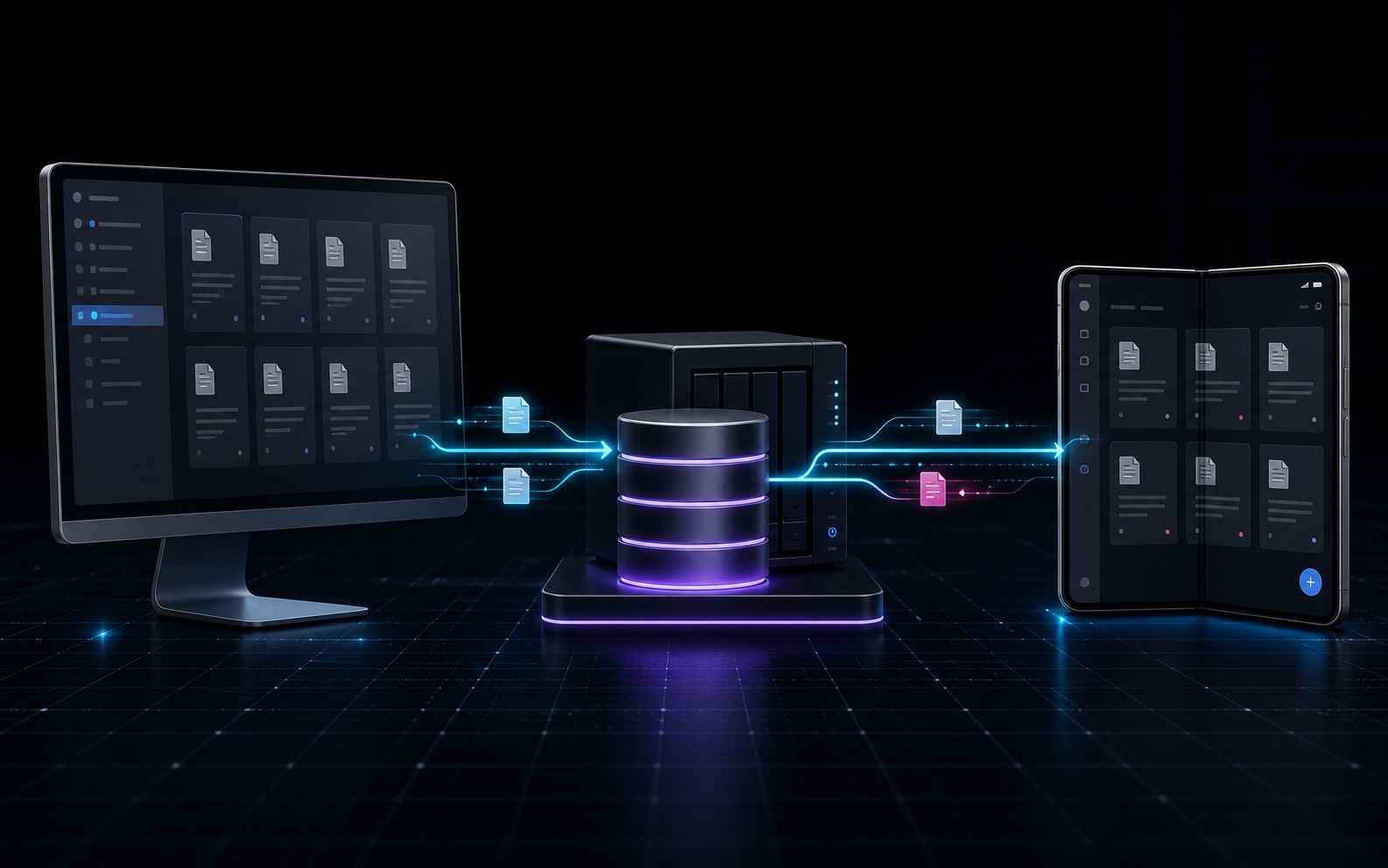
A desktop Obsidian library synchronizing through a user-controlled CouchDB relay with the independent Modow HarmonyOS app
Two independent apps. One bridge you control. Obsidian stays on the desktop; Modow runs on HarmonyOS. CouchDB only relays changes. Both clients must use the same CouchDB root URL, database name, username, and password to exchange one knowledge library.
Route 01 / Obsidian compatible
Obsidian Vault

Keep the Obsidian workflow you already use on desktop.

CouchDB / LiveSync

Use a Self-hosted LiveSync-compatible database to relay changes.

Modow · HarmonyOS

Read, search, and edit the same knowledge base on your phone.

Best for: people already using Obsidian Self-hosted LiveSync and CouchDB. With an official sync account, use https://sync.modow.vip on both ends.
04 / Built For Real Work

When you need it,
it is already there.

[ 01 ]

Obsidian users

Extend a desktop vault to HarmonyOS. Keep reading, writing, and searching on the move.

[ 02 ]

NAS / private cloud

Connect Nextcloud, AList, Jianguoyun, or another standard WebDAV service.

[ 03 ]

Research & writing

Papers, class notes, reading highlights, and technical docs in one library.

[ 04 ]

Project work

Plans, meeting notes, weekly reports, and project files within reach.

Modow Markdown 3.0 / HarmonyOS NEXT

Let your notes move.
Keep control.

Works fully offline. Sync only when you choose. No ads, no forced account, and no default cloud lock-in.